
Integration of Dronetag BS
Betaflight
Dronetag BS can feed GPS data to the Betaflight flight control software through the XBUS protocol, acting as a GPS module. Connecting Dronetag BS to the Spektrum telemetry receiver will enable you to access live positioning data.
Betaflight Software configuration
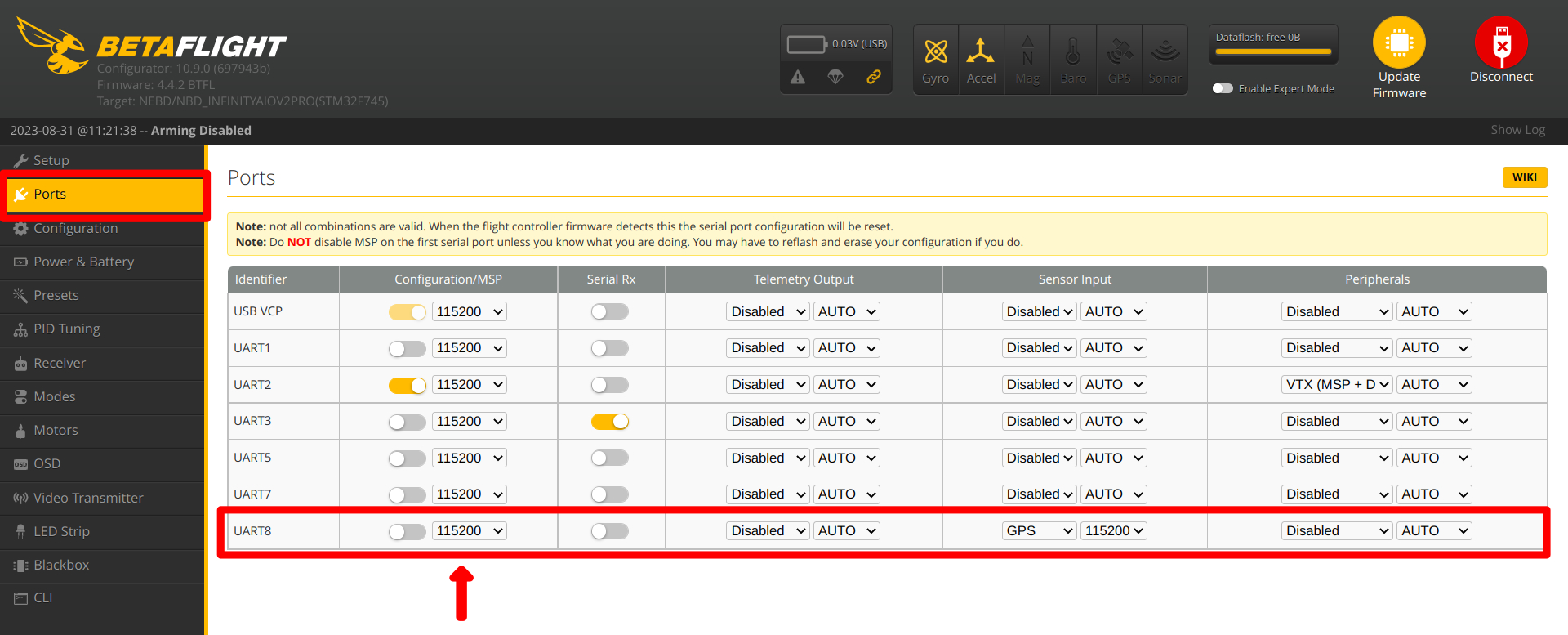
Ports
UART X - set the Sensor Input GPS to value: 115200
 |
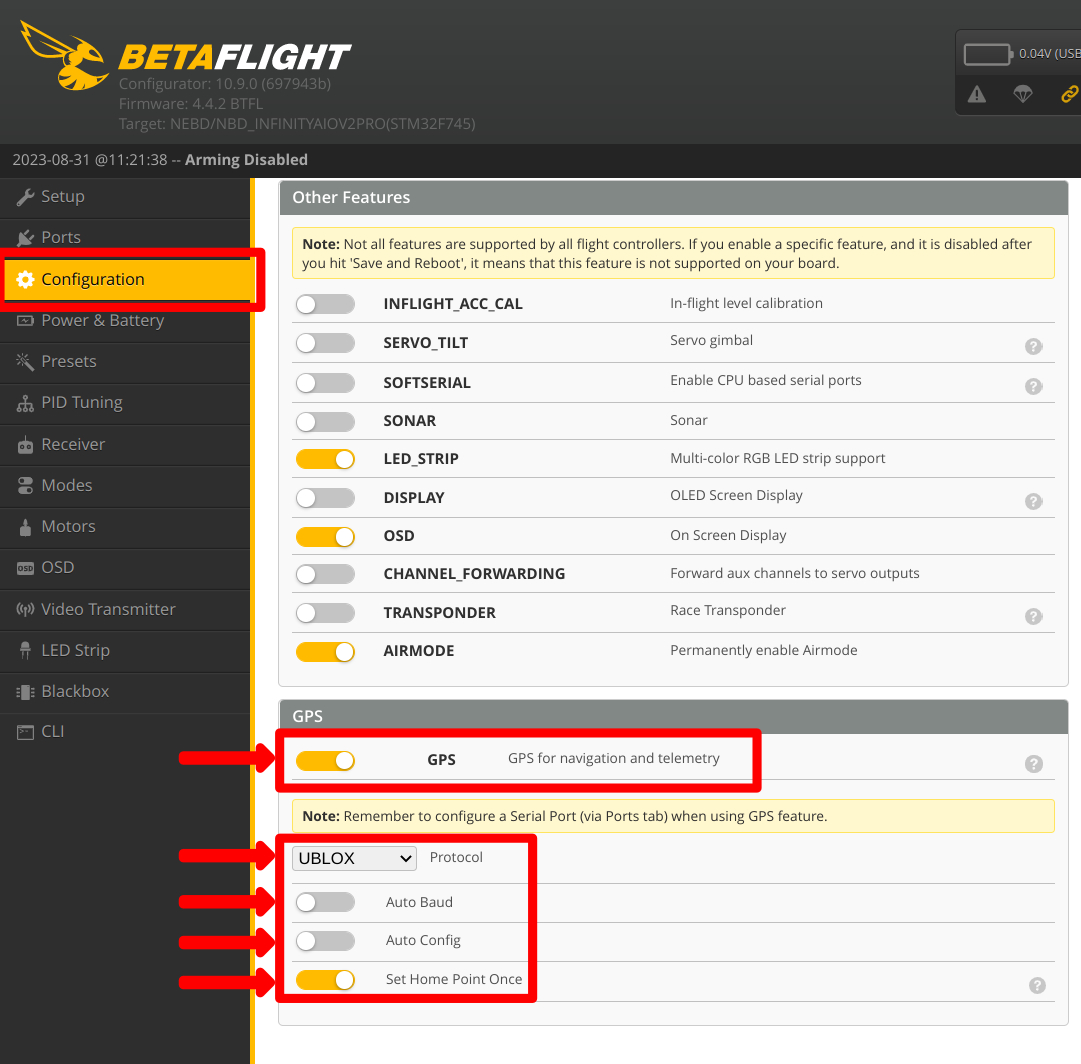
Configuration
GPS: Enabled Protocol: UBLOX Auto Baud: Disabled Auto Config: Disabled
 |
Confirmation of functionality
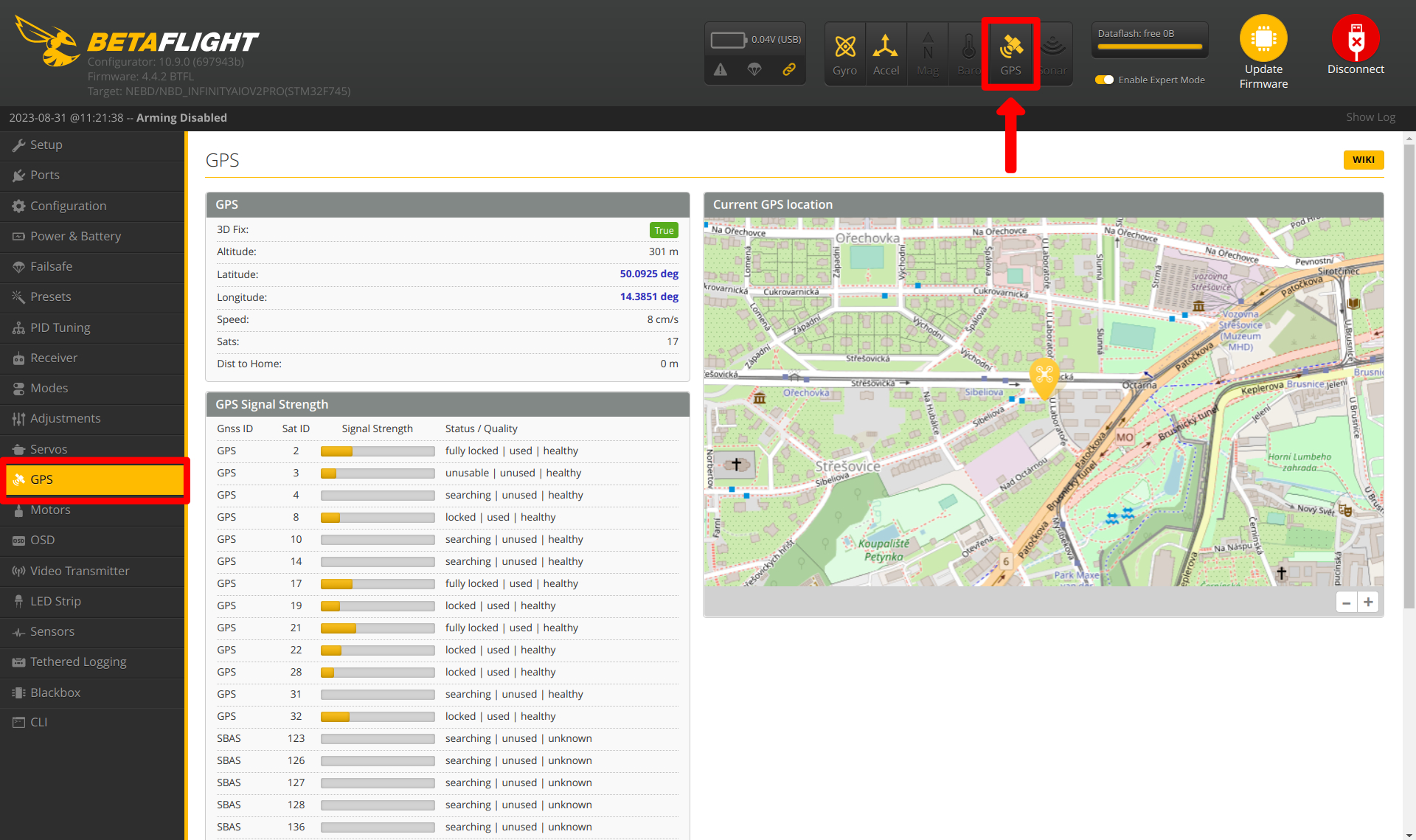
Confirm the GPS connection in the top right. The icon should be yellow.
 |
Advanced
In Expert mode, look at the number of satellites. If you are having trouble getting a fix with the BS, please restart the Module and upload Assisted GNSS data.
 |
Betaflight Flight Controller integration
Connect the flight controller with free UART port of the Flight controller.
Example:
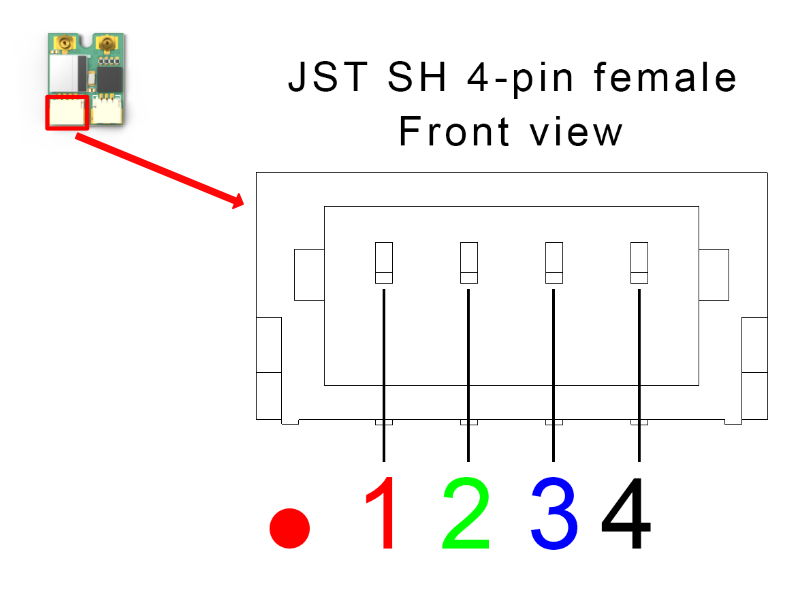
Follow the wiring diagram for BS 4-pin Connector below. Be extra careful to avoid connecting VCC and GND to the module them reversing will permanently damage the module.
4-pin Connector (Placed on Left Side)
The connector placed on the left side of the Dronetag BS is a common JST SH 4-pin with UART interface with no flow control. This connector will also be used for support for Betaflight communication and Spektrum Telemetry XBUS in the future.
| Pin # | Name | Scheme Color | Description |
|---|---|---|---|
| 1 | VCC | Red | 3.3V to 17V. Directly connected to pin 1 at the 3-pin connector |
| 2 | UART RX | Green | Receive of the Dronetag device (3.3V logic - 5V tolerant) |
| 3 | UART TX | Blue | Transmit of the Dronetag device (3.3V logic - 5V tolerant) |
| 4 | Ground | Black | Ground connection |
VCC pin 1 is directly interconnected with VCC pin 1 at the 3-pin JST SH (the other connector)