Activating a Connectivity Plan:
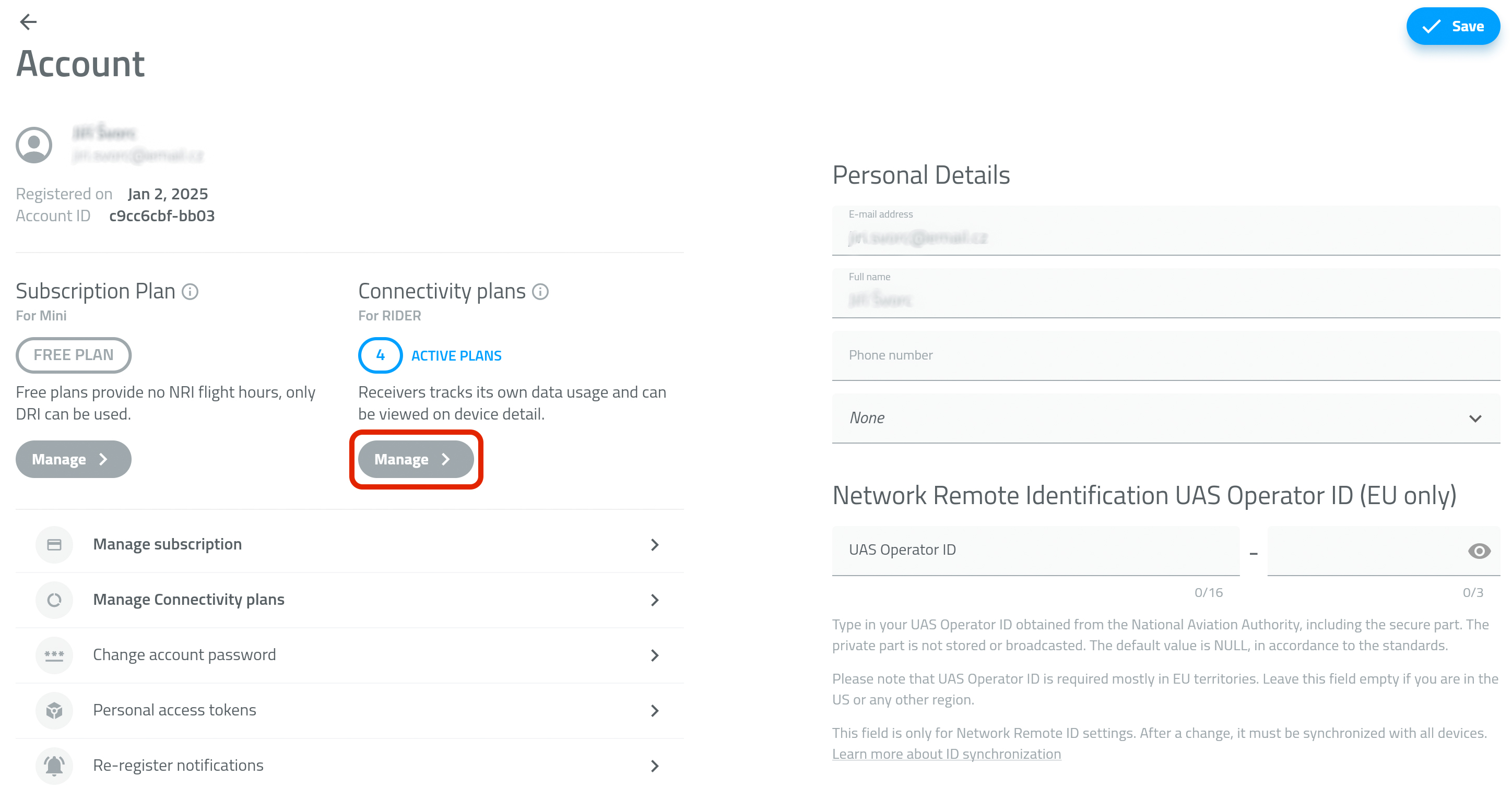
- Open the Profile tab and go to Account details.
- In the Connectivity plans section, tap Manage - PICTURE 1
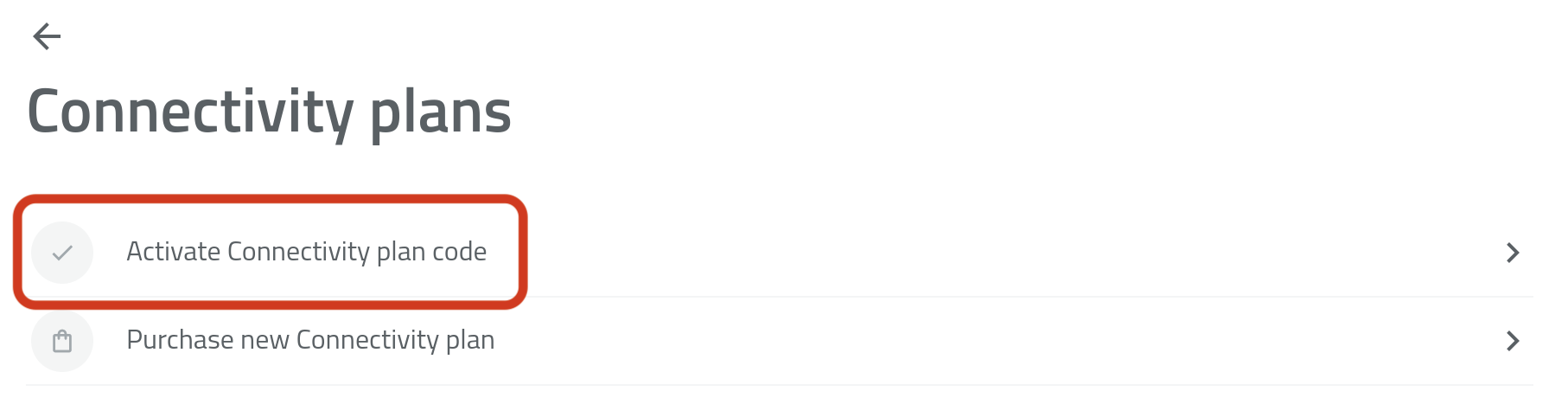
- Tap Activate Connectivity Plan Code - PICTURE 2
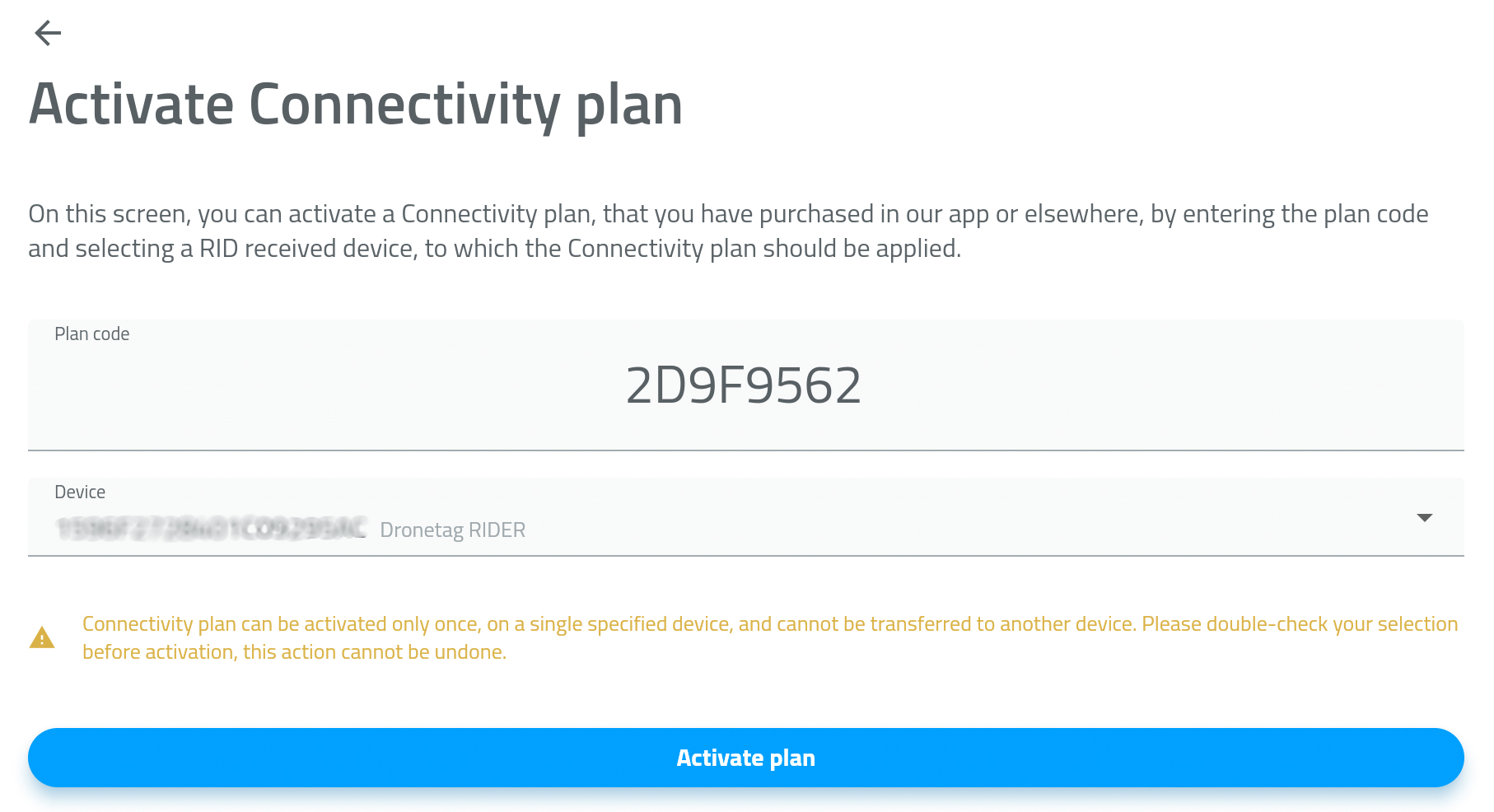
- Enter or paste the activation code from the previous screen.
- Select the RIDER device you want to activate the plan for - PICTURE 3
- Tap Activate Plan.
Your Connectivity Plan is active now.
Picture 1
Picture 2
Picture 3