
Purchasing a Connectivity Plan
A Connectivity Plan lets your RIDER stay connected to the Dronetag Cloud via its built-in LTE SIM.
It enables:
- Real-time data sync
- Detection storage and history
- Remote monitoring
- API and third-party integrations
You can purchase and activate a Connectivity Plan directly in the Dronetag App (mobile or web).
A Dronetag account is required for activation.
Before purchasing, make sure you’ve used your 2-month free trial that comes with every new RIDER.
How to Purchase a Connectivity Plan
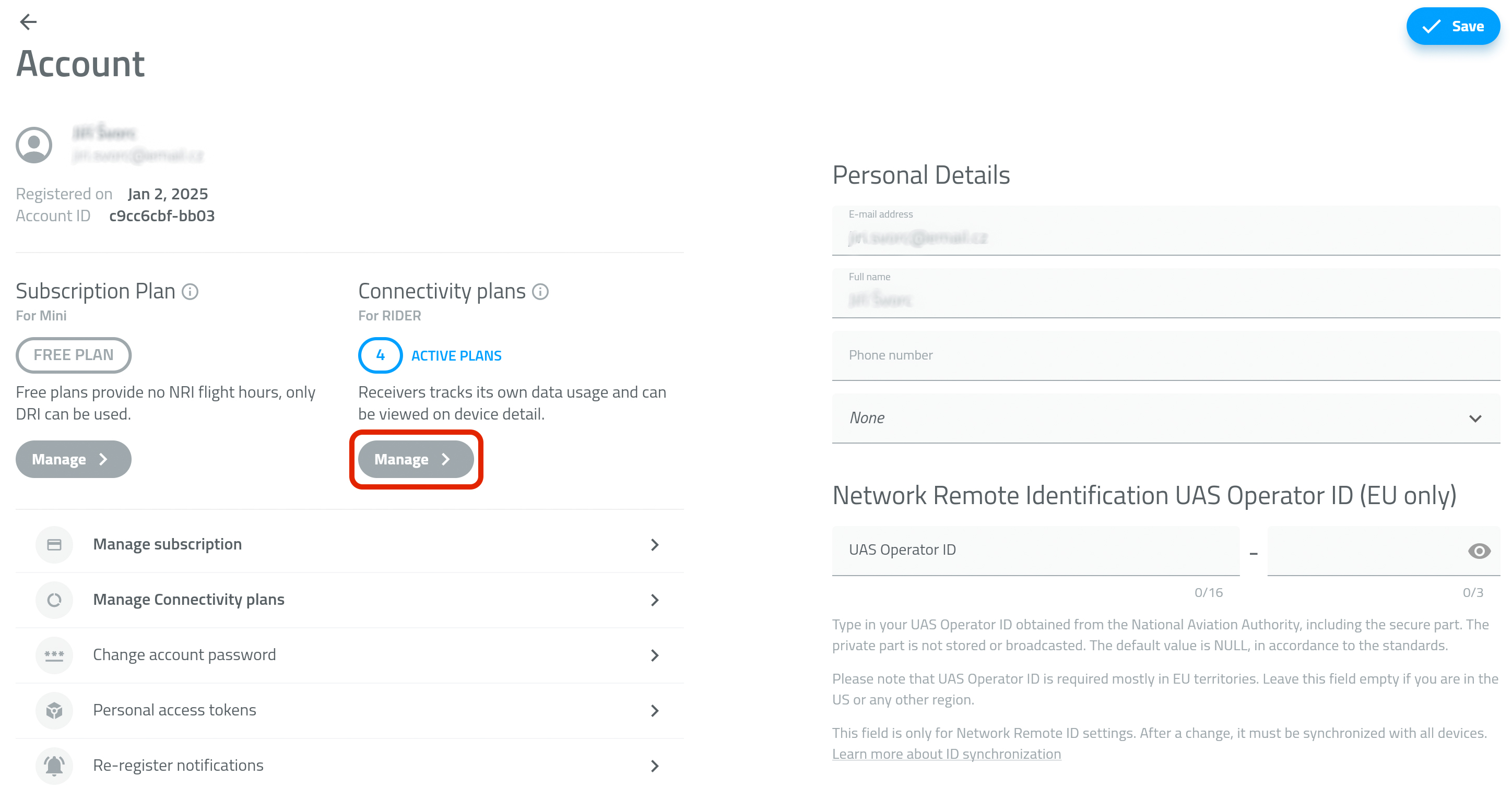
- Open the Profile tab and go to Account details.
- In the Connectivity plans section, tap Manage - PICTURE 1
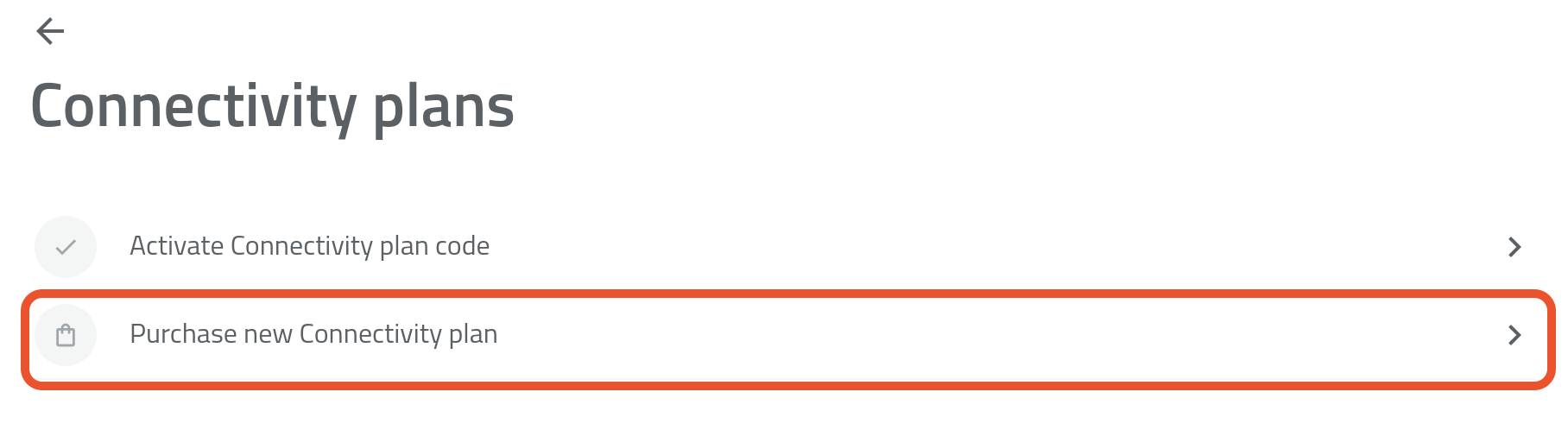
- Tap Purchase a New Connectivity Plan - PICTURE 2
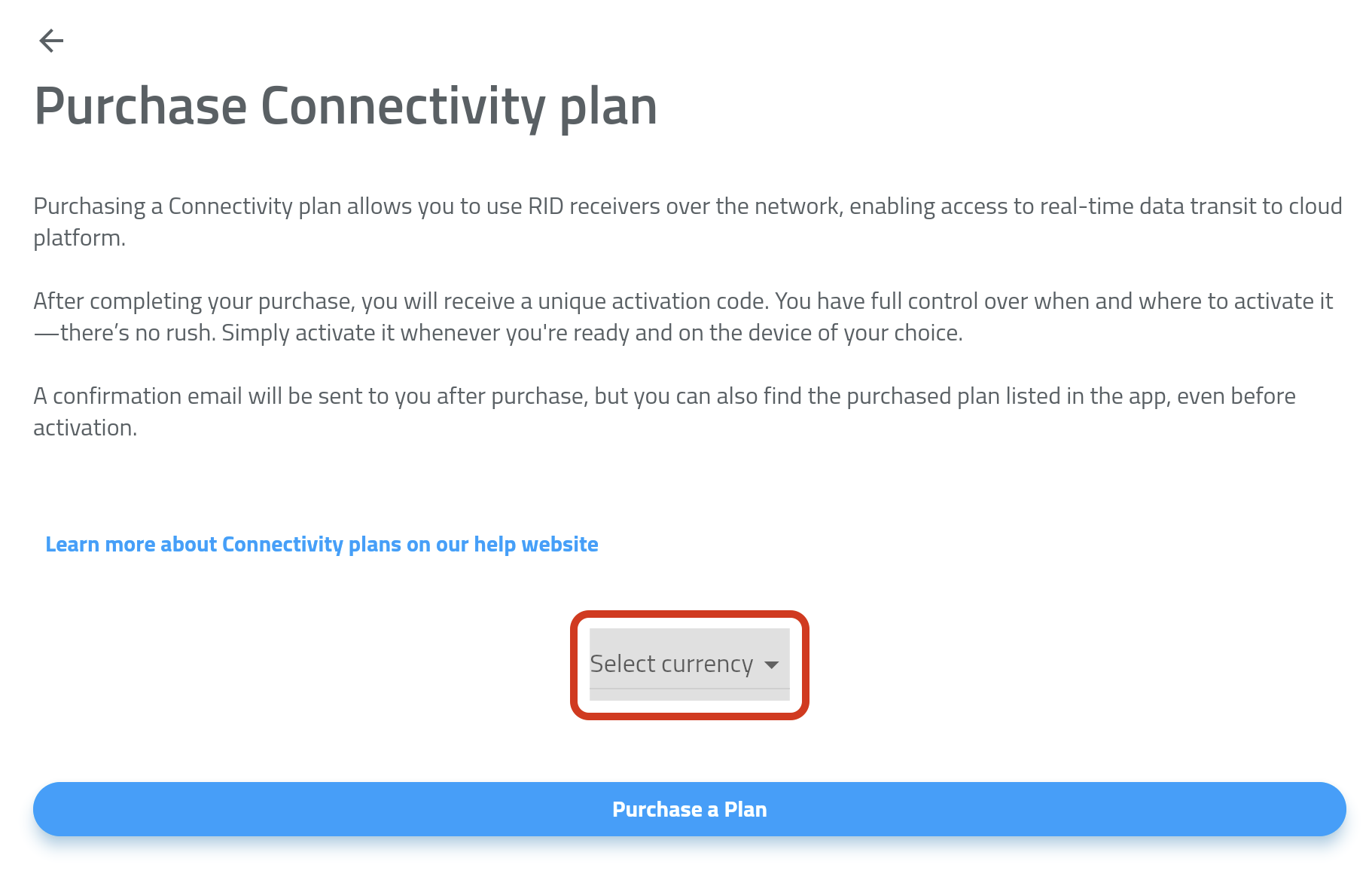
- If prompted, select your country and choose your preferred currency (EUR or USD) - PICTURE 3
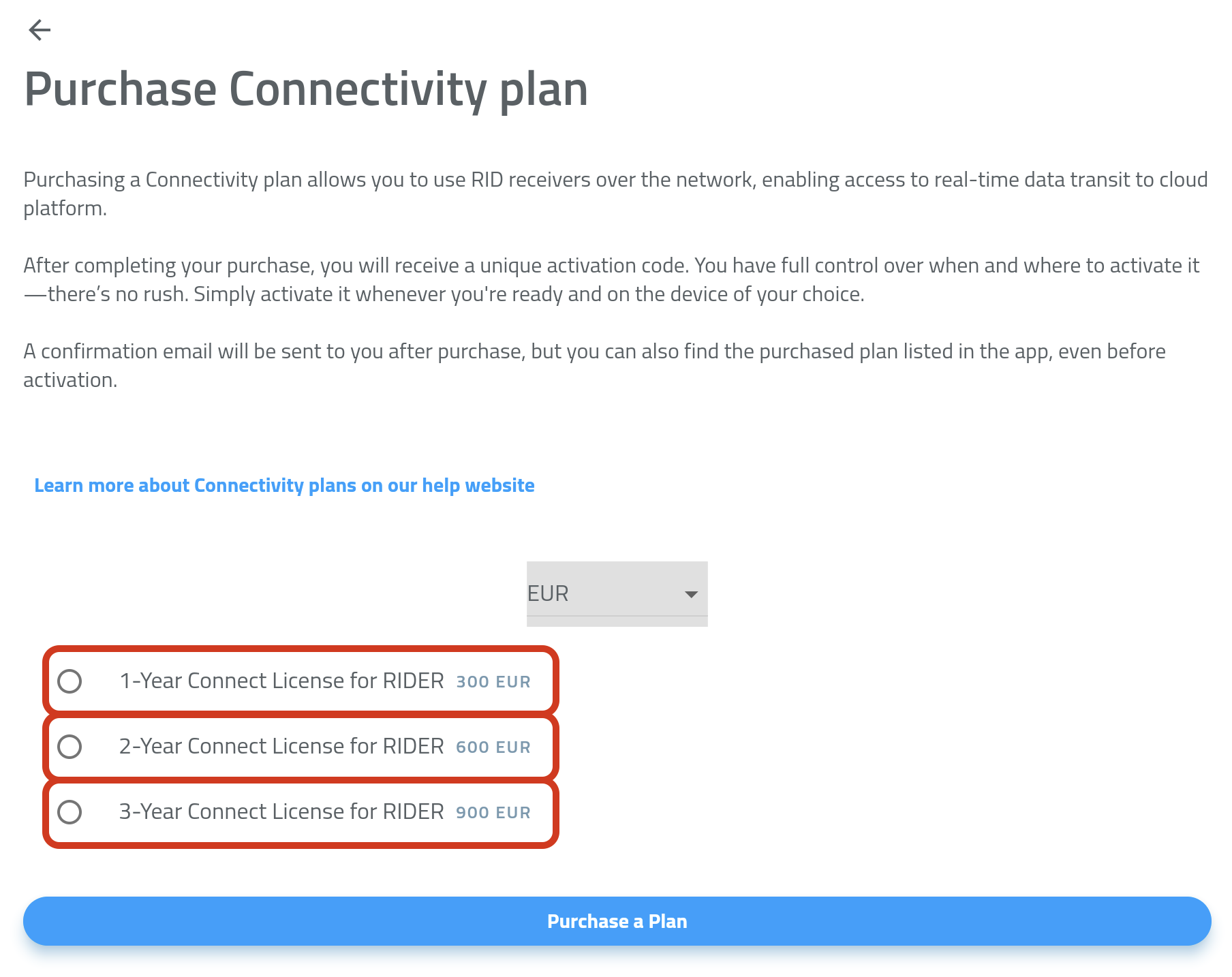
- Select the Connectivity Plan you'd like to purchase (1, 2, or 3 years) - PICTURE 4
- Tap Purchase Plan.
- Complete the payment by following the instructions in the payment gateway.
Payment Methods
We accept the following payment methods:
- Credit Card
- Apple Pay
- Google Pay
All payments are securely processed via Stripe - we never store your payment information.
Every RIDER includes a free trial Connectivity Plan (valid for 2 months).
Once it expires, you can buy a new Connectivity Plan anytime to continue using Online Mode.
If you don’t purchase a Connectivity Plan, simply switch to Offline Mode via Drone Scanner (Gen. 2).


Troubleshooting Payments
If your payment doesn’t go through, check the following:
- Your card supports online/international payments
- Your billing details are correct
- Your bank has authorized the transaction (some cards require in-app confirmation)
- Apple Pay / Google Pay are linked to valid cards
If issues persist, try another payment method.
Still having trouble?
Contact support@dronetag.com and include a brief description or screenshot of the issue - we’ll help you fix it quickly.