RIDER Connectivity Plan
Online vs. Offline Mode
The Dronetag RIDER can work in two different ways:
- Offline Mode – RIDER connects to your phone via Bluetooth (or USB-C for Android devices). No data goes to the cloud. You get live situational awareness, but no history or remote access.
- Online Mode – RIDER uses its built-in LTE SIM to send detection data to the Dronetag Cloud. This unlocks features like detection history, remote monitoring, and integrations with third-party platforms (e.g. Aloft, SafeSky).
- To use Online Mode, you need a Data Bundle.
- To use Offline Mode, you need the Drone Scanner (gen. 2) app.
What is a Connectivity Plan?
Think of a Connectivity Plan as a prepaid package with a validity period (how long you can use RIDER in online mode before expiration). It’s similar to a mobile data plan, but tailored for Remote ID detections.
Every RIDER comes with a 2-month free trial.
This free trial lets you explore Online Mode right away.
When the trial ends, you can keep using RIDER in Online Mode by purchasing a Connectivity Plan - or switch to Offline Mode for free.
Connectivity Plan Options
We currently offer the RIDER Connect plan, which is available as a 1, 2, or 3-year license coming at $300/year per device.
Looking to scale? For mass deployments (5+ devices), API integrations, custom development, or on-premise requirements, our team is ready to help. Contact us at sales@dronetag.com to discuss a solution tailored to your organization’s needs.
Activation & Flexibility
- Once activated, the Connectivity Plan is locked to that device for the specific time period, depending on the Connectivity Plan variant you chose.
RIDER only works in Offline Mode via Bluetooth with the Drone Scanner (Gen. 2) app.
You still see nearby drones, but you lose cloud features like history, remote access, and sharing.
Don't forget to turn the LTE off in your RIDER's configuration page in the Dronetag app.
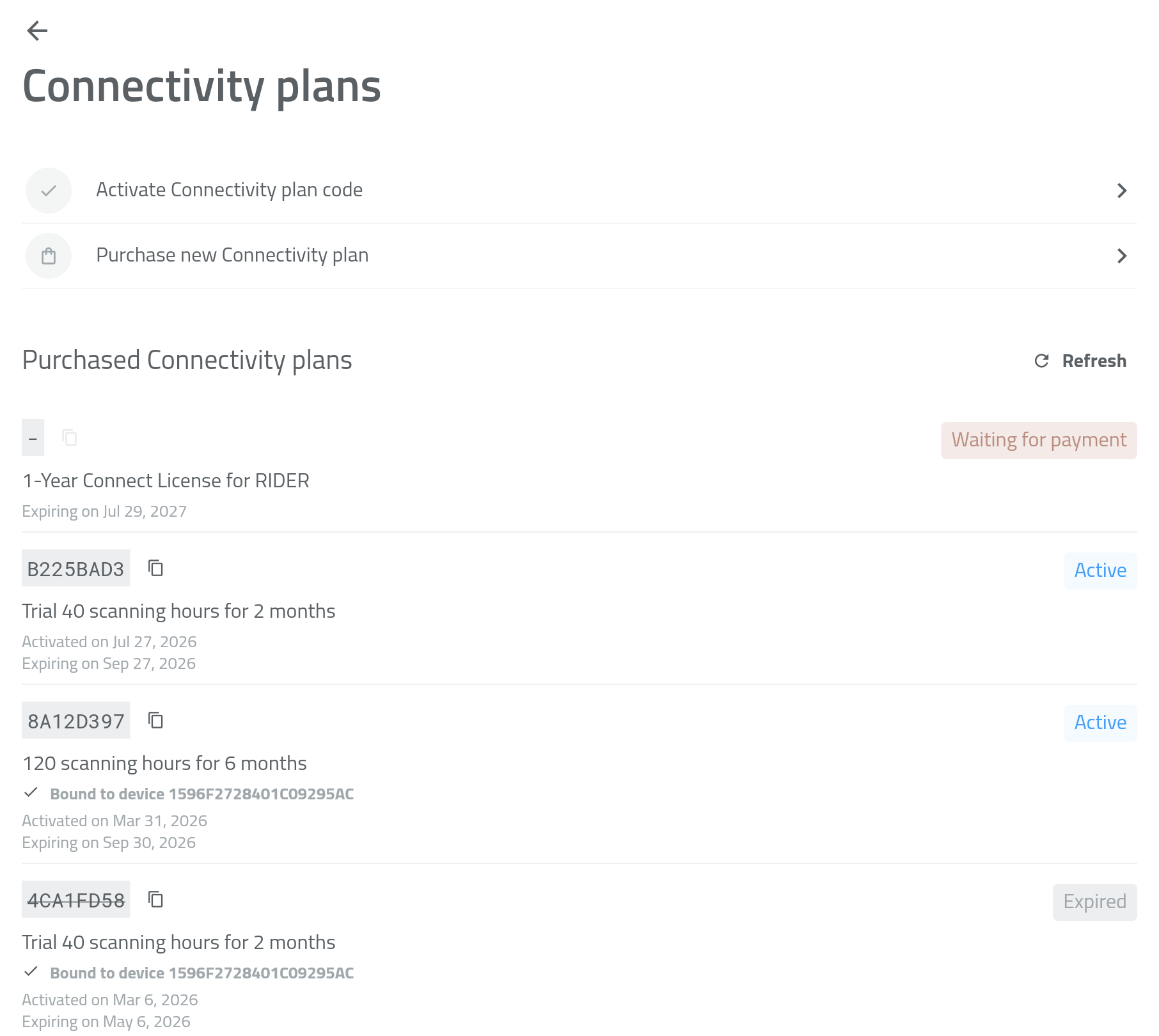
Connectivity Plan Purchase History
You can check your current Connectivity Plan status anytime in the Dronetag App (mobile or web):
Option 1 – From Home Screen
On the home screen with the map, tap your RIDER profile card to open the device detail screen.
You’ll see the current state of your Connectivity Plan usage.
Option 2 – From Profile
Open Profile → Account Details, where you’ll find a list of all your active, expired, or pending bundles.
Purchasing a New Connectivity Plan
A Connectivity Plan lets your RIDER stay connected to the Dronetag Cloud via its built-in LTE SIM.
It enables:
- Real-time data sync
- Detection storage and history
- Remote monitoring
- API and third-party integrations
You can purchase and activate a Connectivity Plan directly in the Dronetag App (mobile or web).
A Dronetag account is required for activation.
Before purchasing, make sure you’ve used your 2-month free trial that comes with every new RIDER.
How to Purchase a New Connectivity Plan
👉 Follow our guide to purchase a RIDER Connect in app.
Activating a Connectivity Plan:
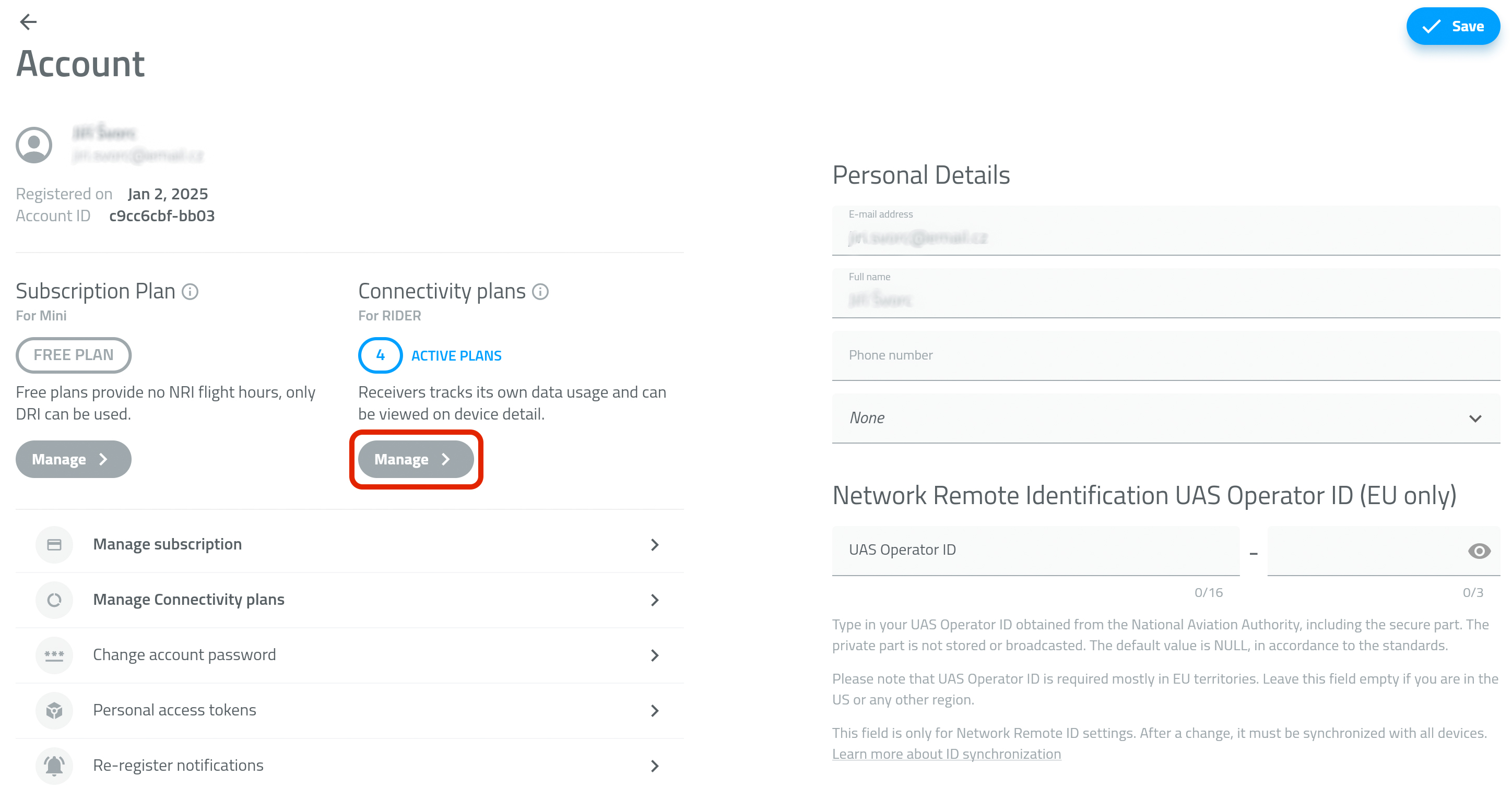
- Open the Profile tab and go to Account details.
- In the Connectivity plans section, tap Manage - PICTURE 1
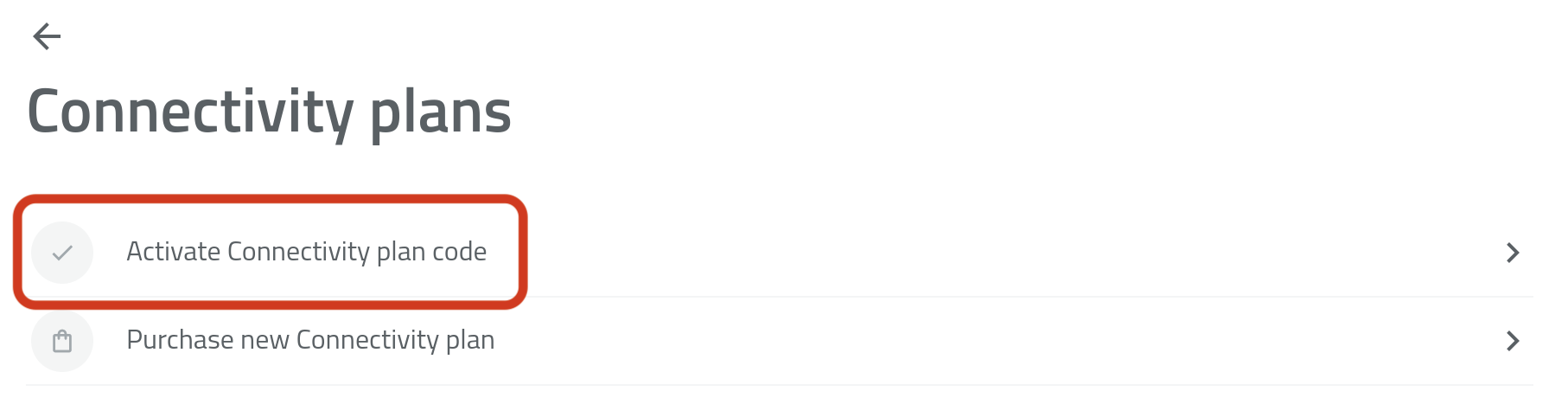
- Tap Activate Connectivity Plan Code - PICTURE 2
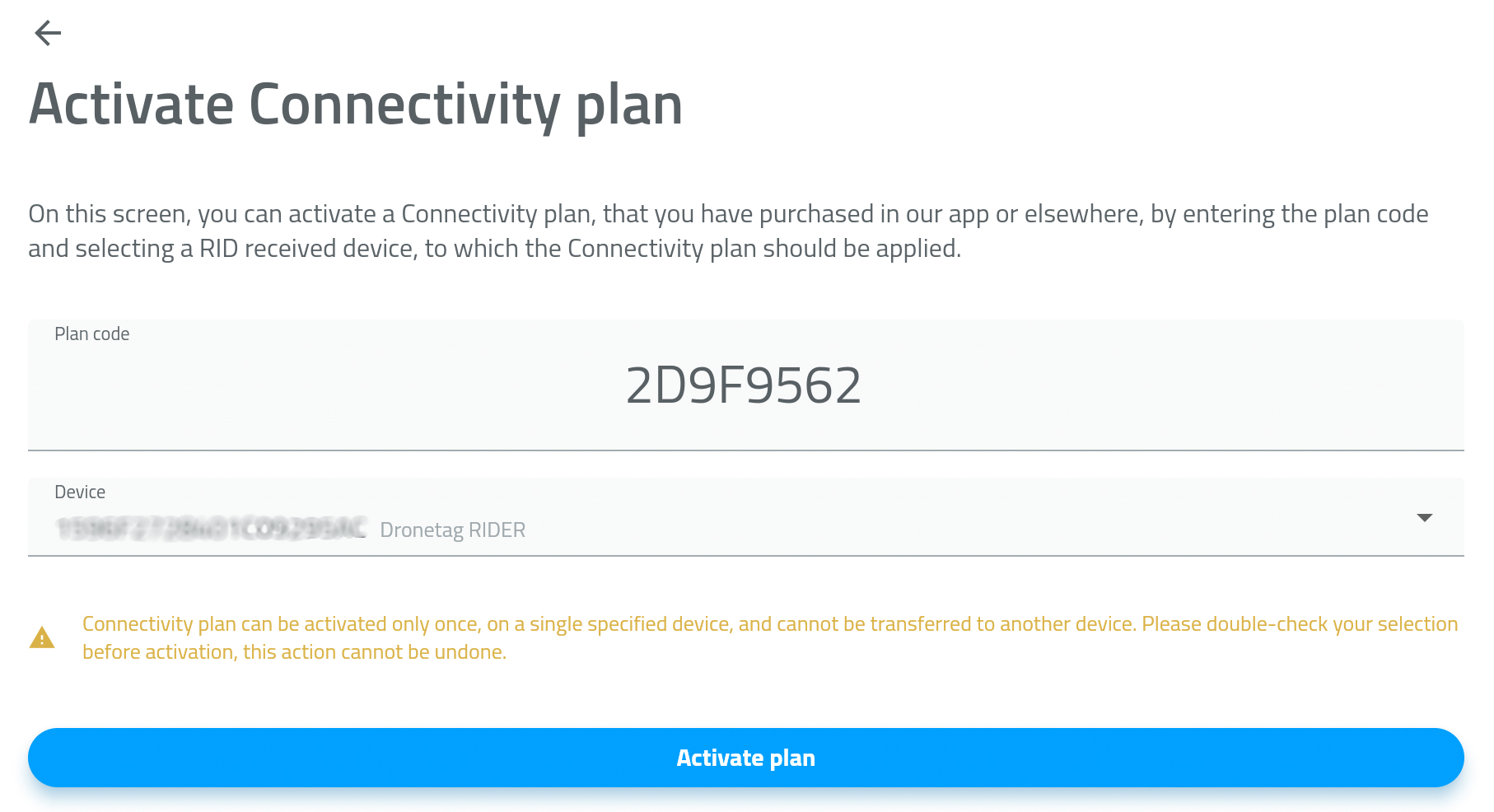
- Enter or paste the activation code from the previous screen.
- Select the RIDER device you want to activate the plan for - PICTURE 3
- Tap Activate Plan.
Your Connectivity Plan is active now.
Using RIDER without a Connectivity Plan
Even without a Connectivity Plan, RIDER still works in Offline Mode:
- Turn off the LTE feature in your RIDER's configuration page in the Dronetag app
- Use the Drone Scanner (Gen. 2) app over Bluetooth
- See live nearby drones on your phone
- But no cloud features (history, remote monitoring, data sharing)